
Set It and Forget It? Choosing the Right Camera Cleaning Schedule
A good camera cleaning schedule should make maintenance easier, not create more guesswork. On paper, a weekly cleaning routine may sound enough. In other cases, daily cleaning may seem excessive. However, real site conditions quickly change that calculation.
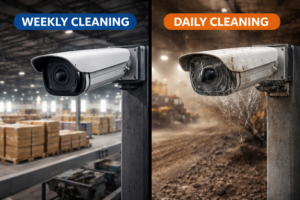
That is why “set it and forget it” only works when the schedule matches the environment. If the camera is in a low-exposure location, weekly cleaning may be fine. On the other hand, if the camera is exposed to dust, insects, webs, debris, or night-visibility problems, waiting a full week can be too long. Therefore, choosing the right camera cleaning schedule is not about picking a fixed interval at random. It is about matching the routine to the actual contamination pattern.
Why cleaning frequency matters more than many teams expect
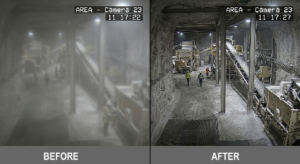
A camera does not need to fail completely to become a problem. In many cases, image quality degrades gradually. As a result, operators may not notice the loss of clarity until visibility is already affecting monitoring, security response, or incident review.
That is exactly why schedule matters. If the camera gets dirty faster than the cleaning routine accounts for, the site spends part of every week operating below the image quality it expects.
Common signs the schedule is too light include:
- repeat haze or blur before the next cleaning
- nighttime glare appearing mid-cycle
- cobwebs returning within days
- repeated false alerts
- recurring manual callouts between scheduled cleanings
- the same cameras always being the first to degrade
So the real question is not whether a weekly or daily routine sounds better. The real question is how long the camera actually stays acceptably clear.
When weekly cleaning makes sense
Weekly cleaning can work well when contamination builds slowly and access is easy enough that the site does not need constant intervention.
This usually fits cameras in:
- relatively clean indoor environments
- sheltered locations with low dust exposure
- lower-risk areas where minor image changes are acceptable for a few days
- sites without heavy insect or web activity
- camera positions that historically stay clear longer
In those cases, a weekly camera cleaning schedule may provide a reasonable balance between image quality and maintenance effort. It creates a predictable routine without over-servicing the camera.
However, weekly cleaning only works if the image remains usable throughout the week. If the camera looks good on day one and poor by day three, then the schedule is already too slow.
When daily cleaning makes more sense
Daily cleaning sounds aggressive until you look at the right environments. In some locations, contamination returns so fast that weekly cleaning simply cannot protect useful visibility.
Daily routines are more realistic for:
Dust-heavy industrial zones
Production dust, traffic, material handling, or outdoor debris may settle on the lens area quickly.
Web-prone nighttime cameras
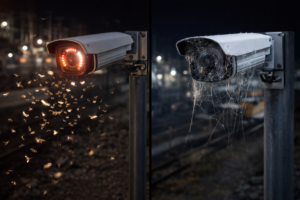
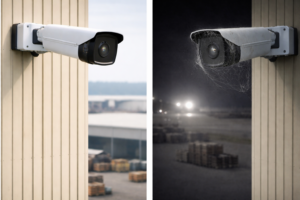
If insects and spiders repeatedly affect the same IR-equipped camera, daily cleaning may be more practical than repeated reactive callouts.
Critical security points
Entry gates, perimeter lines, and high-value monitoring zones often need more consistent visibility than less important camera positions.
Hard-to-review remote sites
If image degradation is likely to go unnoticed for too long, a more frequent schedule can help protect coverage.
Therefore, a daily camera cleaning schedule is not overkill when contamination is predictable and fast-moving. In those situations, it may actually be the more efficient option.
Why the same schedule rarely works for every camera
One of the biggest maintenance mistakes is giving every camera the same routine regardless of location. In reality, cameras do not all face the same conditions.
For example, one camera may sit in a clean indoor corridor, while another is mounted over a dusty yard or near a gate with strong nighttime insect activity. As a result, one-size-fits-all scheduling often leads to wasted effort on some cameras and insufficient cleaning on others.
That is why the smarter approach is to group cameras by contamination risk:
- low-risk cameras: less frequent cleaning
- moderate-risk cameras: weekly review and cleaning
- high-risk cameras: daily or near-daily preventive attention
In other words, the best schedule is usually not universal. It is targeted.
Why reactive cleaning is worse than either weekly or daily planning
Some sites avoid choosing a schedule at all and rely on reactive cleaning instead. That usually means someone responds only after the image becomes clearly bad. Although that may feel flexible, it is often the least efficient approach.
First, the image degrades before action is taken. Next, someone must inspect, schedule, and perform the cleaning. Finally, the site restores the camera only after some period of poor performance. Consequently, reactive cleaning often means more disruption, less predictability, and lower visibility between interventions.
So even if the debate is weekly vs daily, the better answer is almost always this: either planned schedule is stronger than waiting until the image already fails.
How CAMDUSTER helps simplify the schedule decision
CAMDUSTER is a camera cleaning robot designed to help supported cameras stay clearer through a more preventive cleaning approach. Instead of depending entirely on manual visits to keep up with contamination, sites can build a more consistent routine around the cameras that need the most support.
That matters because the value of CAMDUSTER is not only cleaner cameras. It is also simpler maintenance planning.
CAMDUSTER can help support:
- more consistent cleaning intervals
- fewer extra manual callouts between scheduled cleanings
- better visibility stability over time
- lower labor tied to recurring contamination
- easier management of high-risk camera locations
Therefore, a site choosing between weekly and daily cleaning may find that CAMDUSTER makes higher-frequency preventive care more practical without creating the same manual burden.
Case study: weekly was too slow, daily was more efficient
At one industrial site, a group of outdoor cameras was originally placed on a weekly cleaning routine. On paper, that seemed reasonable. However, two of the cameras repeatedly lost clarity before the week was over because of dust buildup and spider activity near night lighting.
As a result, the maintenance team was still making extra unscheduled visits between the weekly cleanings. The site was effectively paying for a weekly plan plus reactive callouts.
Once the team reviewed the pattern, the answer became clear. Those cameras did not need random extra visits. They needed a more suitable preventive routine. By shifting the most contamination-prone locations toward a more frequent cleaning approach, and by focusing on schedule by risk rather than by habit, the site reduced reactive interventions and improved visibility consistency.
That is the real lesson: the best schedule is the one that prevents the repeat problem before it drives extra labor.
How to choose the right schedule for your site
If you are deciding between weekly and daily cleaning, start with practical questions:
- How fast does the image quality drop?
- Is the problem worse after dark?
- Which cameras trigger the most repeat cleaning?
- How expensive is access for each location?
- Are technicians already making unscheduled visits between planned cleanings?
- Would a more preventive routine reduce that extra effort?
Those questions usually reveal the answer quickly. If the same camera cannot stay clear for a week, then a weekly routine is not really saving effort. It is simply delaying it.
Internal resources to explore
To learn more about smarter camera maintenance planning, see:
- CAMDUSTER camera cleaning solutions
- Clean today, dirty tonight: the recurring camera cleaning nightmare
- The hidden cost of “free” manual camera cleaning
Conclusion
The right camera cleaning schedule depends on how fast contamination returns, how important the footage is, and how expensive it is to keep reacting after the fact.
For some cameras, weekly cleaning is enough. For others, daily preventive care is the only way to protect consistent visibility. The smarter goal is not to force one interval everywhere. The smarter goal is to match the schedule to the real contamination pattern. CAMDUSTER helps make that easier by supporting a more practical, preventive approach to keeping critical cameras clear.
FAQ
Frequently Asked Questions
How do I know whether a weekly camera cleaning schedule is enough?
If the camera stays clear and usable for the full week without extra callouts or visible image decline, a weekly routine may be sufficient. If quality drops before the week ends, it probably is not enough.
When does daily cleaning make more sense than weekly cleaning?
Daily cleaning makes more sense when contamination returns quickly, such as in dusty areas, spider-web-prone locations, or critical nighttime monitoring points where image quality cannot degrade for long.
Should every camera on the site follow the same cleaning schedule?
No. Cameras in different locations face different contamination levels, access difficulty, and operational importance. A risk-based schedule usually works better than one universal rule.
Is reactive cleaning better than setting a schedule?
Usually not. Reactive cleaning means the camera often performs poorly before anyone responds. A planned schedule is more predictable and usually better for visibility consistency.
How does CAMDUSTER help with camera cleaning schedules?
CAMDUSTER supports a more preventive cleaning approach for supported cameras, helping sites maintain clearer visibility and reduce extra manual callouts between scheduled cleanings.
Which cameras usually need more frequent cleaning?
Cameras in dusty industrial zones, outdoor perimeter locations, gate areas, web-prone night environments, and hard-to-monitor remote positions often need more frequent cleaning.
What is the biggest sign that the current schedule is wrong?
The clearest sign is repeated manual intervention between planned cleanings. If the same camera keeps needing attention before the next scheduled visit, the interval is probably too long.
Read more FAQs
Can daily cleaning actually lower maintenance effort?
Yes. If it prevents emergency callouts, poor footage, and repeat access trips, a more frequent preventive routine can be more efficient than a lighter schedule plus constant reactive work.
Does the ideal schedule change by season?
Yes. Dust, insects, spider activity, and weather can all change by season, so some cameras may need more frequent attention during certain parts of the year.
How should site managers group cameras for scheduling?
A practical method is to group them by contamination risk, access difficulty, and business importance. High-risk cameras should usually be cleaned more often than low-risk ones.
Can a weekly schedule still work for outdoor cameras?
Yes, if those cameras are in relatively clean or sheltered locations and stay clear throughout the week. Outdoor location alone does not always mean daily cleaning is necessary.
What if only one or two cameras get dirty much faster than the rest?
Those cameras should usually be treated separately instead of forcing the whole site into the same interval. A targeted schedule is often more efficient.
Does schedule choice affect camera ROI?
Yes. A schedule that allows poor visibility or causes repeated extra visits reduces the value the site gets from the camera system and increases ongoing maintenance cost.
Can CAMDUSTER help high-risk cameras follow a more practical preventive schedule?
Yes. It is especially useful where recurring contamination makes manual scheduling difficult, labor-intensive, or too reactive.
Should schedule decisions be based on image quality or just calendar habit?
They should be based on how long the image stays usable in real conditions. Calendar habit alone often leads to over-cleaning some cameras and under-cleaning others.
What is the biggest mistake in setting a camera cleaning schedule?
The biggest mistake is assuming every camera behaves the same. Different locations, contamination patterns, and access costs require different maintenance intervals.
#CAMDUSTER #AutomaticCameraCleaning #CameraVisibility #IndustrialSites #PreventiveMaintenance